Send Money
Ask EndowBot to send to any Nigerian bank, or to another EndowPay account.
Pay bills, buy airtime, send money and more by chatting with EndowBot on WhatsApp.
Start making payments on whatsapp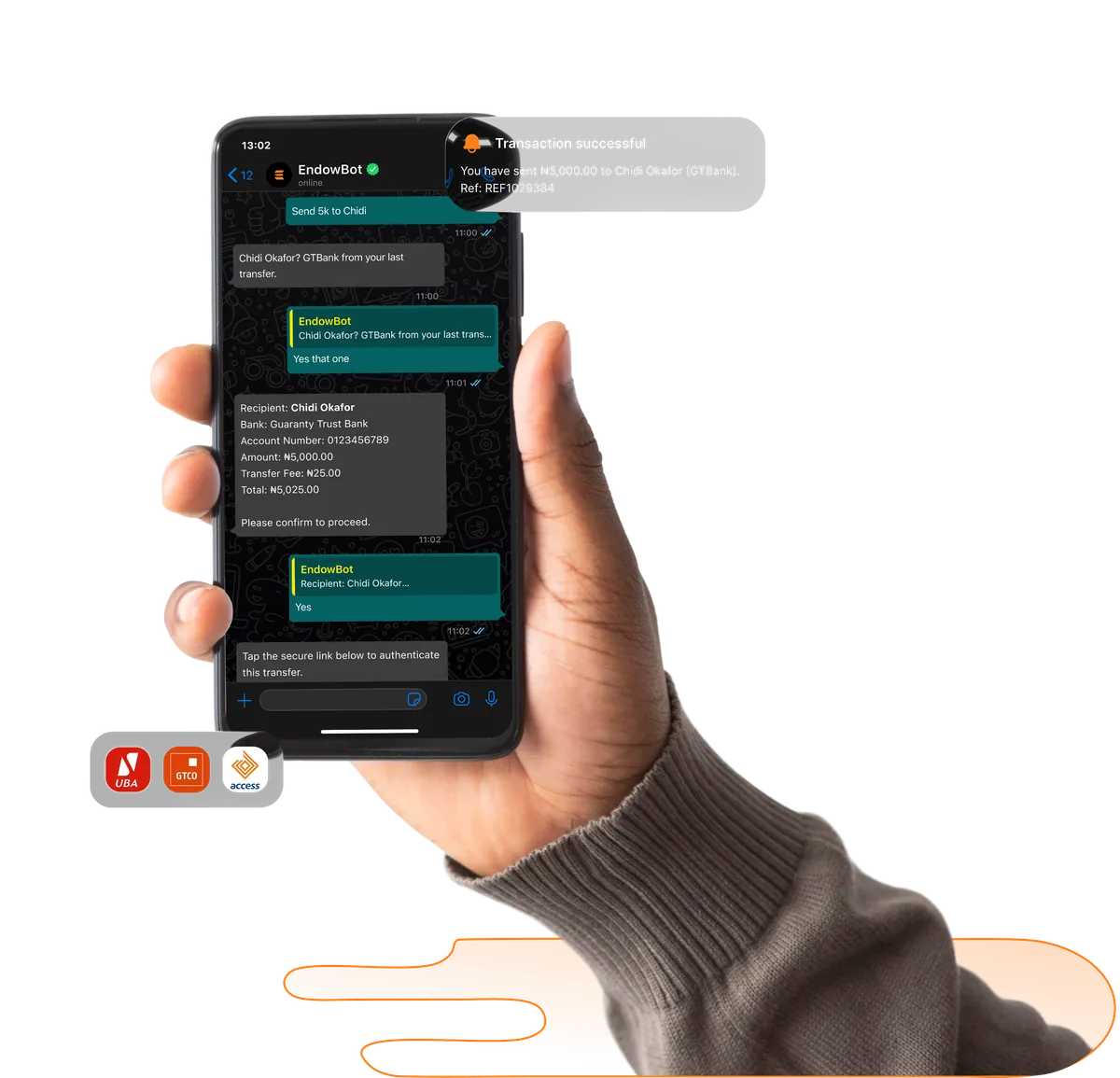
Ask EndowBot to send to any Nigerian bank, or to another EndowPay account.
Tell EndowBot which bill, and it settles it. Electricity, TV, Betting and more.
Message the network and amount. Recharge done.
Ask, and EndowBot tells you.
EndowBot sends a quick summary of recent transactions.
Ask EndowBot how many you've earned and what they're worth.
Open your phone's contacts and add the official EndowBot WhatsApp number: +234 [XXX XXX XXXX].
Open WhatsApp, find your saved contact, send a message saying "Hi".
EndowBot will send a welcome message and terms. Accept, follow the secure link, sign in with your EndowPay account.
EndowBot sends a one-time code to your registered number. Enter it in the chat. You're set.
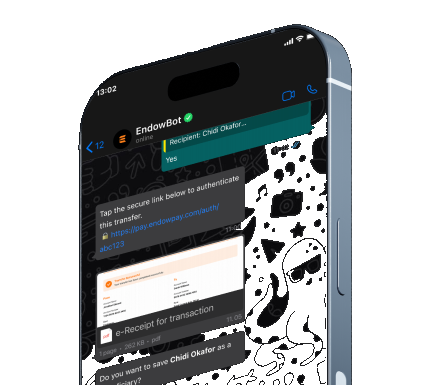
EndowPay keeps the flow simple and clear inside the app. You can review the details before every payment is confirmed.
EndowPay keeps the flow simple and clear inside the app. You can review the details before every payment is confirmed.
EndowPay keeps the flow simple and clear inside the app. You can review the details before every payment is confirmed.
EndowPay keeps the flow simple and clear inside the app. You can review the details before every payment is confirmed.
Ask any questionshello@endowco.com